 we
In short
Install the free we app, enter your start date, then touch and hold your Home Screen, tap Edit → Add Widget, search for "we" and add the small or medium widget. For the Lock Screen, touch and hold it, tap Customize and add the we widget.
Step by step
- Install we. Download the free we app from the App Store and add both your names, the date you got together and a photo.
- Enter jiggle mode. On your Home Screen, touch and hold an empty area until the apps jiggle, then tap Edit in the top-left corner and choose Add Widget.
- Find we. Search for “we” in the widget gallery and pick the small or medium widget. Swipe to see both sizes.
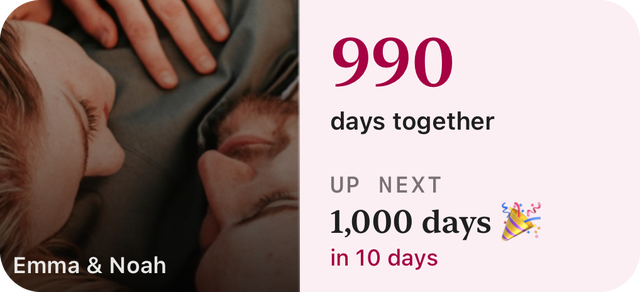
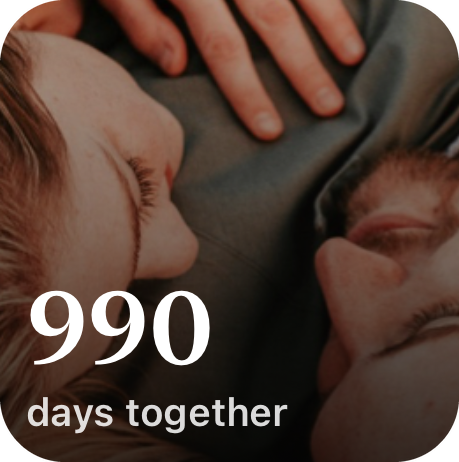
- Add it. Tap Add Widget, drag it where you want it and tap Done. It shows your days together and your next milestone.
- Lock Screen (optional). Touch and hold the Lock Screen, tap Customize, choose Lock Screen, tap the widget area and add the we widget.
Works on any iPhone with iOS 17 or later.
Which widget to pick
| Widget | Where | What it shows |
|---|---|---|
| Small | Home Screen | Your couple photo with your days together |
| Medium | Home Screen | Photo, names, days together and your next milestone with a countdown |
| Circular | Lock Screen | A heart and your day count |
| Rectangular | Lock Screen | Days together, your partner's name and your next milestone |
| Inline | Lock Screen, above the clock | One line, like “990 days with Noah” |
Make it a couples widget
Invite your partner from the app's settings with a 6-character couple code. Once they join, your date, milestones and photo sync through iCloud, so the same widget shows on both your phones. Change the photo on one phone and it updates on the other.
Troubleshooting
- "we" doesn't appear in the widget gallery: open the app once after installing, then try again.
- The count looks a day behind: widgets refresh in the background; open the app and it updates straight away.
- The photo is cropped: pick a photo with both your faces near the centre, or try the other widget size.
Want to know your number first? Try the days together calculator.